> Build a Research Radar with Karpathy's LLM Wiki Pattern: A Step-by-Step Tutorial
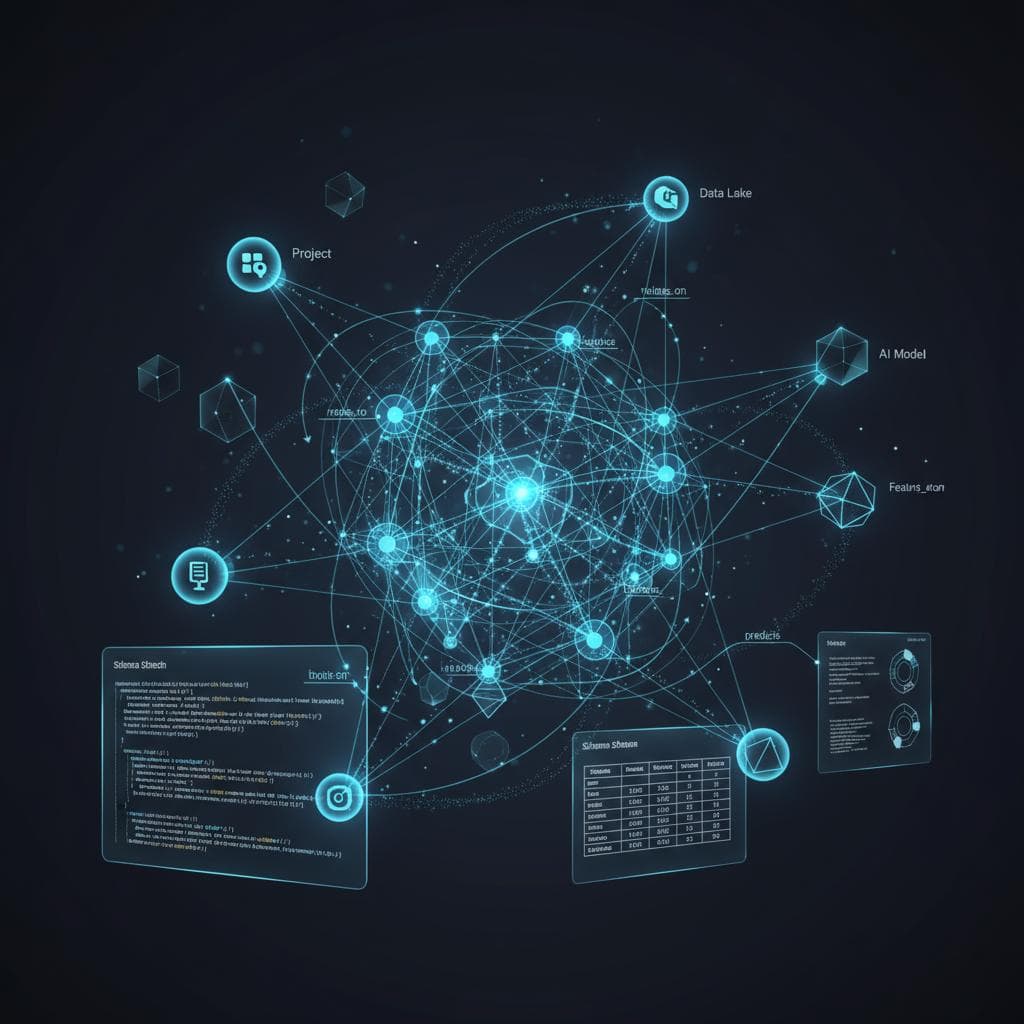
Karpathy's LLM Wiki pattern replaces re-deriving answers from raw documents with a structured wiki that grows smarter each week. This tutorial walks you through building a Research Radar for any fast-moving topic, from folder structure to your first synthesis query.
In early April 2026, Andrej Karpathy shared an idea that spread quickly, attracting millions of views on X and thousands of GitHub stars within days. The concept: stop dumping documents into Retrieval Augmented Generation (RAG) systems that rediscover knowledge from scratch on every query. Instead, have an LLM incrementally compile and maintain a structured markdown wiki that compounds over time.
One of the most practical applications of this pattern is what I call a Research Radar, a weekly fed knowledge base that tracks developments in a fast moving field. You clip 5 to 10 articles each week, the LLM ingests them, updates cross-references across all existing pages, and over a few weeks or months you have a compounding knowledge base that can synthesize insights across dozens of sources you'd never hold in your head simultaneously.
In this tutorial, we will build a Research Radar for tracking AI Agents. The pattern works for any topic, swap in whatever you're tracking.
Why Not Just Use RAG?
Most AI knowledge tools use RAG. You upload documents, ask a question, and the system retrieves relevant chunks to generate an answer. It works, but nothing accumulates. Ask a question that requires synthesizing five documents and the system pieces together fragments from scratch every time.
The LLM Wiki pattern flips this. You compile once and query forever.
RAG Approach:
  Week 1: Upload 5 papers → Ask question → Get answer (from 5 papers)
  Week 2: Upload 5 more  → Ask question → Get answer (rederives from 10 papers)
  Week 8: Upload 5 more  → Ask question → Still rederiving from scratch every time

Research Radar:
  Week 1: Ingest 5 papers → Wiki has 15 pages, 40 cross-references
  Week 2: Ingest 5 more  → Wiki grows to 28 pages, cross-references auto update
  Week 8: Ingest 5 more  → Wiki has 120+ pages, can synthesize across 40 sources instantly
After two months, the Research Radar can answer questions like "What are the three main approaches to agent memory and who advocates each?", drawing on dozens of interconnected wiki pages rather than raw documents.
Prerequisites
- Claude Code (or any LLM coding agent: Codex, OpenCode, Cursor, etc.)
- Obsidian (free; any markdown editor works)
- Obsidian Web Clipper browser extension (optional, for saving articles as markdown)
Install Obsidian from obsidian.md and add the Web Clipper extension to your browser.
Step 1: Create the Folder Structure
Your project should look like this:
research-radar/
├── raw/                        # Source documents (read-only for the LLM)
├── wiki/                       # Markdown pages maintained by the LLM
└── schema.md                   # Instructions for the LLM
The raw/ folder is your immutable source of truth. The wiki/ folder is the LLM's domain, it writes, links, and maintains everything there.
Step 2: Write the Schema File
The schema tells your LLM agent how to behave. Copy this into schema.md at the project root:
# llm-wiki
# Research Radar — AI Agents

---

## Purpose

This Research Radar tracks the fast moving field of AI Agents, autonomous
systems that use LLMs to plan, reason, use tools, and take actions. The wiki
is fed weekly with new sources and compiles them into an interconnected
knowledge base.

The human curates sources and asks questions. The LLM maintains the wiki.

---

## Tracking Scope

Monitor developments across these dimensions:

1. **Architectures** — Agent design patterns (ReAct, plan-and-execute,
   reflection, multi-agent, hierarchical)
2. **Memory Systems** — Short-term, long-term, episodic, semantic,
   retrieval-augmented memory
3. **Tool Use** — Function calling, MCP, API orchestration, code execution
4. **Frameworks** — LangGraph, CrewAI, AutoGen, OpenAI Agents SDK,
   Anthropic agent patterns, etc.
5. **Evaluation** — Benchmarks, safety testing, reliability metrics
6. **Deployments** — Production case studies, failure modes, scaling stories

---

## Ingest Workflow

When the user adds a new source to `raw/` and asks you to ingest it:

1. Read the full source document
2. Classify it: paper, article, report, or talk
3. Discuss 2–3 key takeaways with the user before writing anything
4. Create a source summary page in the appropriate wiki subfolder
5. Extract claims and concepts, create or update concept pages for each
6. Add [[wiki-links]] connecting related pages throughout the wiki
7. Check for contradictions with existing pages, flag them explicitly
8. Update `wiki/index.md` with any new pages and one-line descriptions
9. Append to `wiki/log.md`: date, source, pages created/updated, and
   any contradictions or notable connections found

A single source may touch 10–15 wiki pages. That is normal.

---

## Source Summary Page Format

Every ingested source gets a summary page:

    # [Source Title]

    - **Type:** Paper | Article | Report | Talk
    - **Authors/Source:** [names or publication]
    - **Date:** [publication date]
    - **Source file:** `raw/papers/filename.md`
    - **Tracking dimensions:** Which dimensions this touches

    ## Key Takeaways
    - Takeaway 1
    - Takeaway 2
    - Takeaway 3

    ## Claims
    - Claim: [statement] → Filed to [[concept-page]]
    - Claim: [statement] → Contradicts [[other-source]]

    ## Related Pages
    - [[related-concept]]
    - [[related-tool]]

---

## Concept Page Format

    # [Concept Name]

    **Summary:** One to two sentences.
    **Dimension:** Which tracking dimension this belongs to.
    **Sources:** Source files this page draws from.
    **Last updated:** Date.

    ## Overview
    Clear explanation with [[wiki-links]] to related pages.

    ## Current State of the Art
    What the latest sources say about this concept.

    ## Open Questions
    - Unanswered questions from the literature.

    ## Related Pages
    - [[related-pages]]

---

## Weekly Digest Format

Every week (or when the user requests), create a digest page:

    # Weekly Digest — [Date Range]

    ## Sources Ingested This Week
    - [[source-1]]
    - [[source-2]]

    ## Key Developments
    Summary of the most important things learned this week.

    ## Emerging Trends
    Patterns noticed across this week's sources and the existing wiki.

    ## Contradictions or Debates
    Any new disagreements surfaced between sources.

    ## Radar Update
    What shifted in the overall landscape this week.

---

## Radar Status Page

`wiki/radar-status.md` is a living summary of the entire field:

    # AI Agents — Radar Status

    **Last updated:** [date]
    **Total sources ingested:** [count]
    **Total wiki pages:** [count]

    ## Hot Topics
    What is getting the most attention right now.

    ## Maturing Areas
    Previously hot topics that are settling into established patterns.

    ## Emerging Signals
    Early mentions that could become important.

    ## Stale Areas
    Topics with no new developments — may need fresh sources.

---

## Citation Rules

- Every factual claim references its source: `(source: filename.md)`
- If two sources disagree, note the contradiction on both pages
- Unsourced claims are marked `[NEEDS VERIFICATION]`
- Newer sources take priority, but do not silently overwrite older claims

---

## Question Answering

When the user asks a question:

1. Read `wiki/index.md` to find relevant pages
2. Read those pages and synthesize an answer
3. Cite specific wiki pages in the response
4. Note confidence: strong (multiple sources), moderate, or speculative
5. If the wiki cannot answer, say so and suggest what sources to look for
6. Offer to file valuable answers back into the wiki

---

## Lint and Audit

When asked to lint (audit the wiki for structural and quality issues):

- Find contradictions between pages
- Identify orphan pages with no inbound links
- List concepts mentioned but lacking their own page
- Flag pages not updated in over 4 weeks
- Check that all pages follow their format
- Look for tracking dimensions with thin coverage
- Report as a numbered list with suggested fixes

---

## Rules

- Never modify anything in `raw/`
- Always update `wiki/index.md` and `wiki/log.md` after changes
- Page names: lowercase with hyphens (e.g. `tool-use.md`)
- Write in clear, plain language
- When uncertain, ask the user
- Surface contradictions — never silently resolve them
Step 3: Initialize the Wiki
Open a terminal in your project directory and start Claude Code:
cd research-radar
claude
Give Claude its instructions:
Read schema.md. This is your operating manual for this project.
Confirm you understand the structure and workflow.
Step 4: Ingest Your First Source
Use the Obsidian Web Clipper to save an article to raw/, then tell Claude:
I added a new source: raw/2026-04-15-building-agents-with-tool-use.md

Ingest it following the schema workflow. Discuss key takeaways
with me before writing any wiki pages.
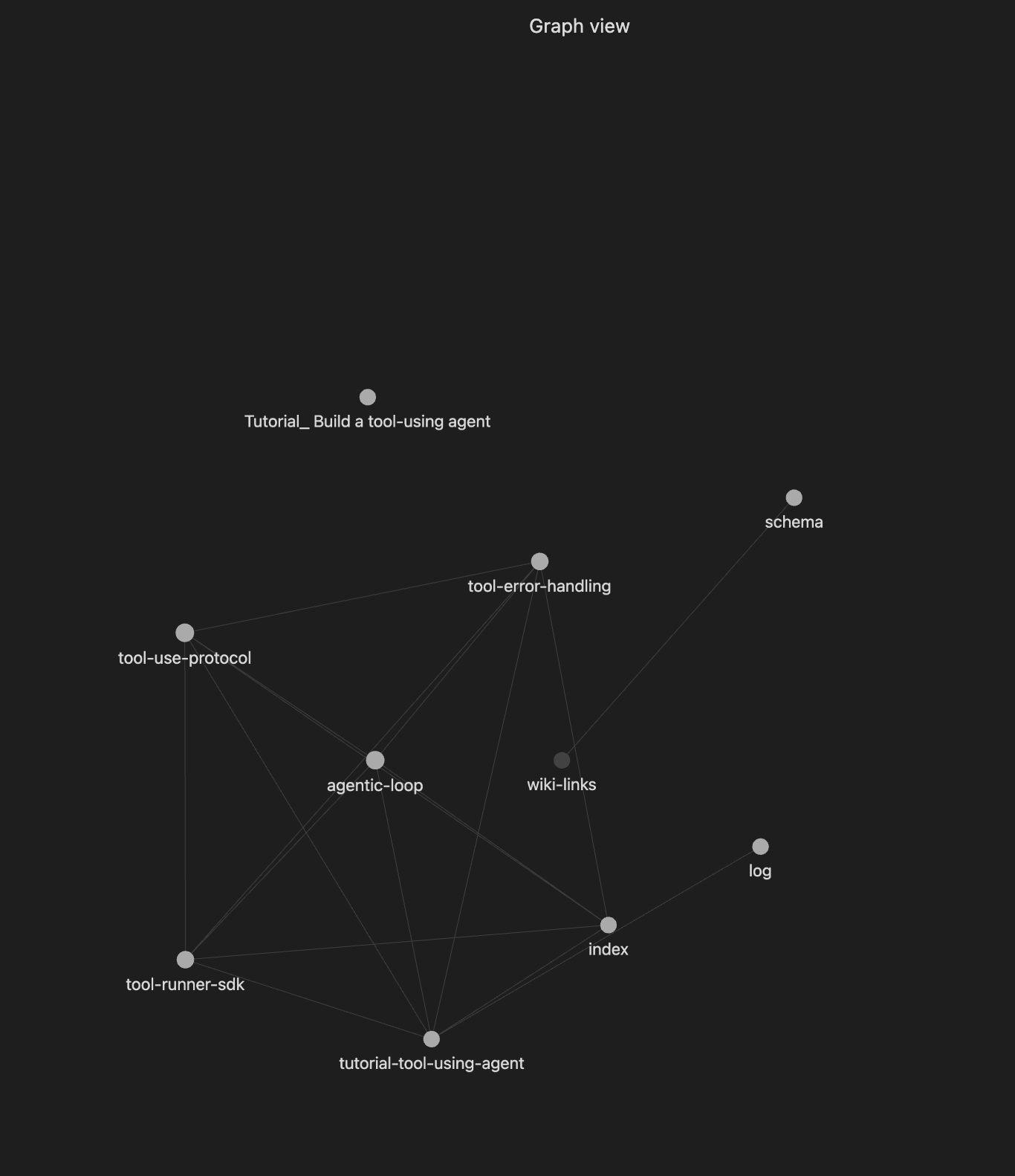
Claude will read the article, summarize key points, and ask for your approval before writing anything. After approval it will create a source summary page, create or update concept pages, add cross-references, and update the index and log. After one source, your wiki might have 5 to 12 pages. After five sources, you may have 20+ pages with cross-references you would never have noticed manually.
example output after ingestion completed:
Ingest complete.

  Created (7 pages):
  - wiki/sources/tutorial-tool-using-agent.md — source summary
  - wiki/concepts/agentic-loop.md (Architectures)
  - wiki/concepts/tool-use-protocol.md (Tool Use)
  - wiki/concepts/tool-error-handling.md (Tool Use)
  - wiki/concepts/tool-runner-sdk.md (Frameworks)
  - wiki/index.md, wiki/log.md
Step 5: Establish Your Weekly Routine
Monday–Friday: Clip Sources (2 minutes/day)
Clip interesting articles into raw/ as you find them. Aim for 5 to 10 per week, don't read them deeply yet.
raw/2026-04-14-openai-agents-sdk-update.md
raw/2026-04-12-agent-memory-survey.md
raw/2026-04-16-production-agent-failures.md
raw/2026-04-17-mcp-adoption-trends.md
raw/2026-04-18-multi-agent-orchestration.md
Weekend: Ingest Session (30–40 minutes)
I added 5 new sources this week. Let's ingest them one at a time.
Start with raw/2026-04-14-openai-agents-sdk-update.md
After all sources are ingested, create the digest and update the status page:
Create a weekly digest for April 14–18, 2026.
Then update wiki/radar-status.md with any shifts in the landscape.
Monthly: Lint and Explore (15 minutes)
Linting audits the wiki for broken links, orphan pages, stale claims, and coverage gaps. Run it once a month:
Lint the entire wiki following the schema rules. Report all issues found.
Then ask synthesis questions and save good answers back as wiki pages.
Step 6: Query Your Radar
After a few weeks the wiki handles complex synthesis questions. For example:
Compare the memory architectures used by LangGraph, CrewAI,
and AutoGen. Which approach has the most evidence supporting it?
What failure modes have been reported in production agent deployments?
Cite all sources.
Answers draw from your accumulated, cross-referenced wiki. The LLM did the synthesis work during ingest, queries just tap into it.
After a while, your wiki will look something like:
Sources ingested:     42
Wiki pages:           120+
Concept pages:        35
Tool/framework pages: 18
Weekly digests:       8
Cross-references:     400+
The wiki can track how concepts evolved over time, surface contradictions between authors, identify gaps in the literature, and generate draft sections for posts or reports, all grounded in cited sources.
Tips
Start narrow. "AI Agents" is already broad. Start with "Agent Memory Systems" and expand later. Narrow and deep beats wide and shallow.
Quality over quantity. Five well ingested papers beat fifteen skimmed articles. The ingest discussion is where nuance gets captured.
Save good answers to the wiki. Every useful synthesis is an opportunity to make the knowledge base richer.
Don't skip the lint step. The monthly audit catches orphan pages, stale claims, and silent contradictions you will not notice otherwise.
Don't edit the wiki manually. Tell the LLM to make changes. This keeps formatting, cross-references, and the index consistent.
What This Pattern Is Not
Not a replacement for reading carefully. The LLM compiles and cross-references, deep understanding still comes from your engagement with the material.
Not a production system. At personal scale the approach works well. At enterprise scale with millions of documents, proper RAG infrastructure is still necessary.
Not fully automated. You approve what gets written, redirect misinterpretations, and decide what questions to ask. That judgment is what makes the wiki trustworthy.
Try It Out
The idea comes from Andrej Karpathy's LLM Wiki gist. The gist is designed to be copy-pasted directly into your LLM agent as a starting point. The schema in this tutorial is a more opinionated version tailored for weekly research tracking.
Karpathy put it simply, there's room here for an incredible new product instead of a hacky collection of scripts. Until that product exists, the scripts work surprisingly well.
Comments (0)
No comments yet. Be the first to comment!